
The Inspiration library
Browse ad styles that already work for other shops, filter them by season and category, and use one on your own products.
The Library in the sidebar opens Inspiration: a collection of ad styles that already worked for other shops. Pick one and OptiQube renders it on your own products.
For you
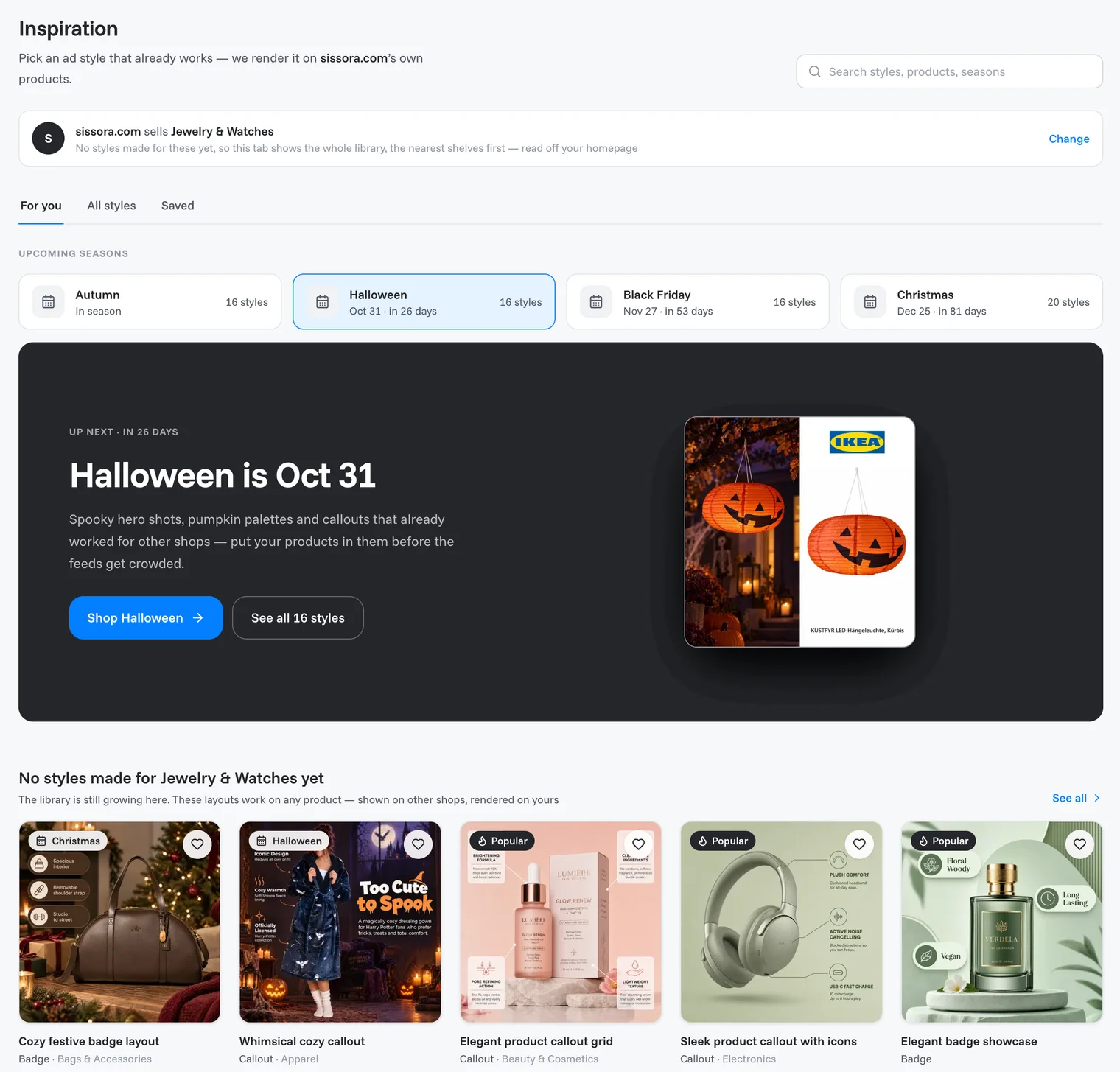
The For you tab puts the styles most relevant to your store first, based on what you sell. It shows:
- Upcoming seasons, with the date and the number of days left. The next one gets a large banner, for example Halloween is Oct 31.
- Picked for your store: what you sell most comes first.
- Collections: hand-picked and seasonal sets.
- Styles for you: the four style types, Lifestyle, Badge, Mixed and Callout.
- Sales.
- Most used, New arrivals and Everything in the library.
Note
The library is still growing. If there are no styles for what you sell yet, the For you tab says so and shows the whole library instead, nearest seasons first. These layouts work on any product: they are shown on other shops and rendered on yours.
The bar at the top tells you how OptiQube sees your store, for example "sells Jewelry & Watches". Not right? Click Change; it takes you to your Brand DNA, where you can set what you sell.
All styles
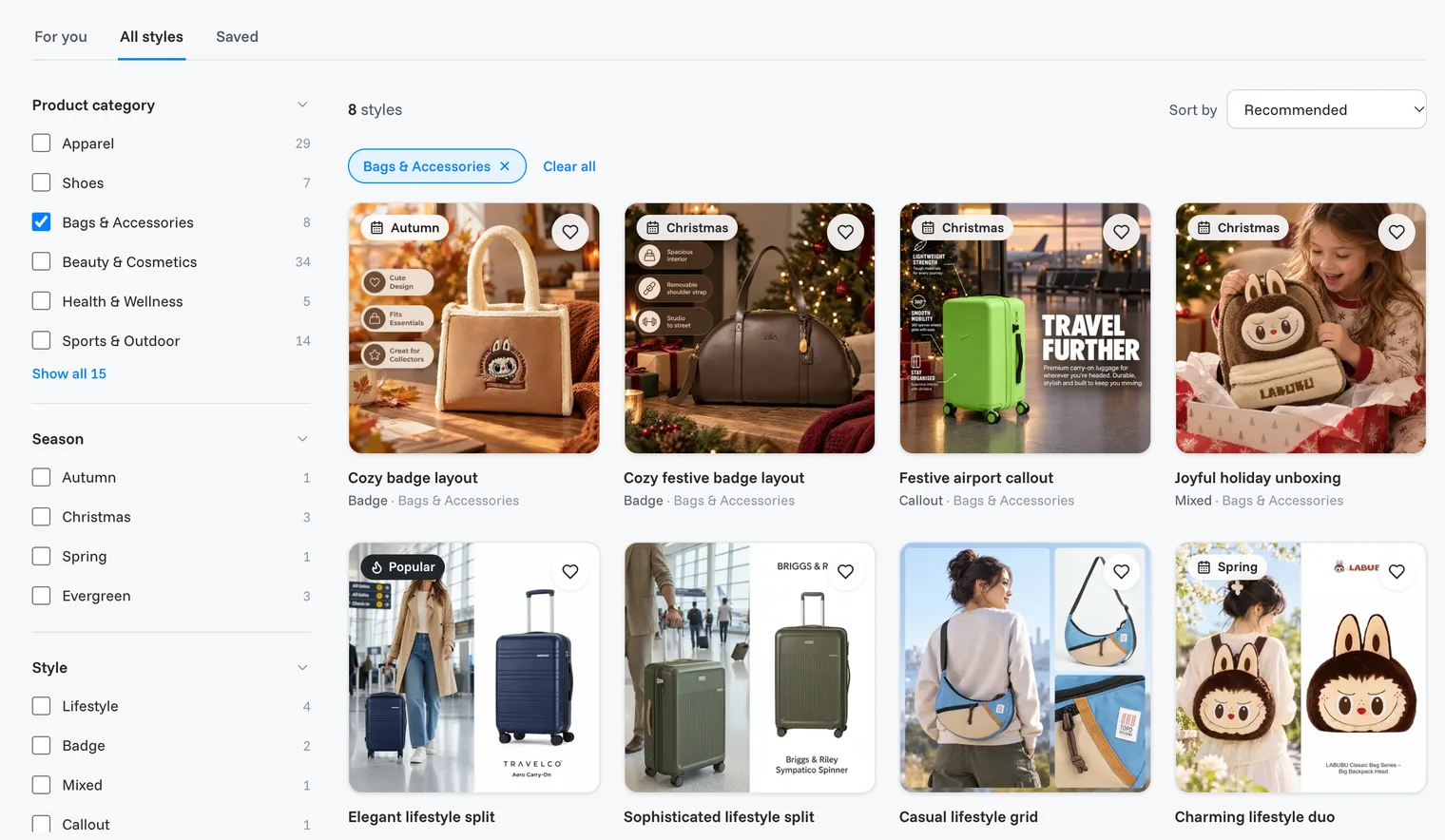
The All styles tab lists every style, with filters on the left:
- Product category, with your store's category marked
- Season
- Style: Lifestyle, Badge, Mixed or Callout
- Color
- Size: 1:1 or 4:5
Use Sort by for Recommended, Most used, Season (soonest first), Newest or Style A–Z, or search at the top for styles, products or seasons.
Save styles for later
Click the heart on any style to save it. Saved styles are listed under the Saved tab.
Use a style
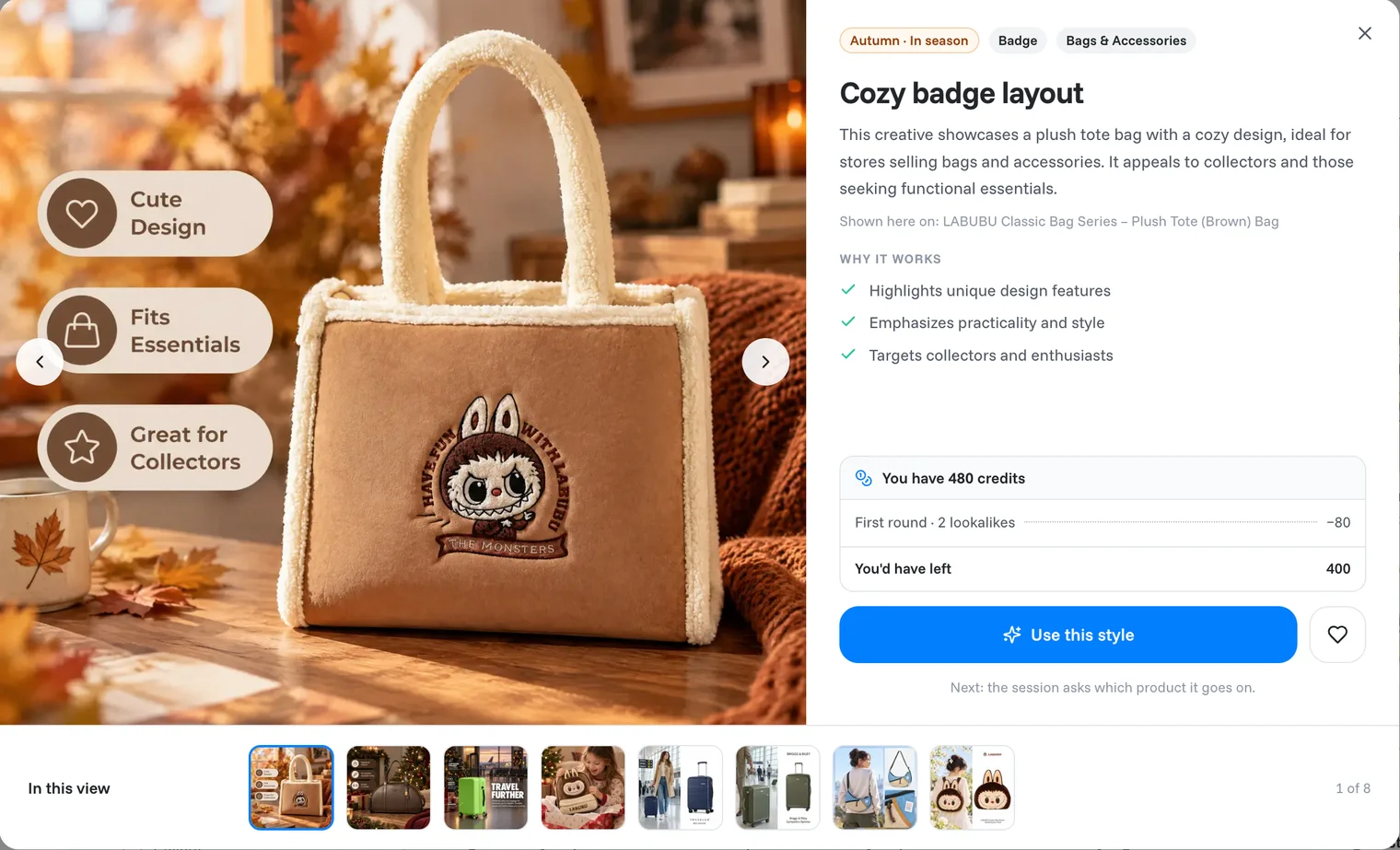
- Click a style to open it. You see the style on an example product, its tags, and Why it works.
- Check the credits box: it shows what the first round costs (for example First round · 2 lookalikes −80) and what you would have left.
- Click Use this style. A task starts, and the agent asks which product the style should go on.
Tip
Seasonal styles work best when your creatives are ready early. Start a seasonal task a couple of weeks before the date, so the ads have time to run.
Related articles
Still need help?
Our team answers every message.