
Step 3 of 8
Pick a product and get four directions
Choose the product the concepts are built on, and get four different creative directions for it.
The agent builds its first concepts on one product, called the seed product. Once you like a direction, you can roll it out to more products.
What to do
- Wait while the agent opens your store. This usually takes about 1.5 minutes.
- The agent lists products it found on your site, or from your catalog if you connected one. Click the one you want the concepts to feature. With a catalog, Browse my catalog opens the full list. You can also paste a link to a specific product page or category page instead.
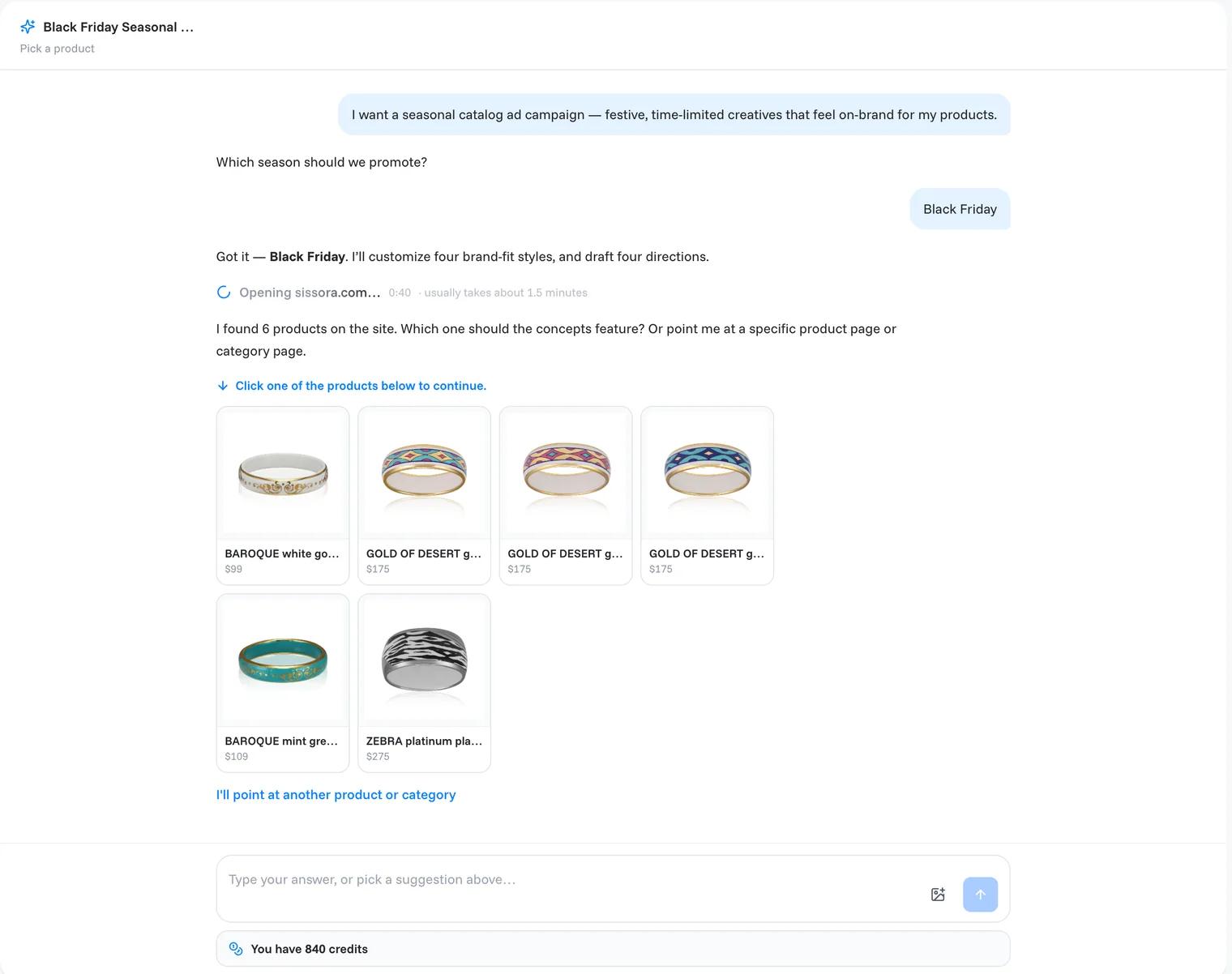
- The agent works through its steps and ticks each one off: Store opened, Collected products, Seed product chosen, Customized 4 styles for the brand, 4 ad concepts ready.
Note
While the agent is working you can already type a note. It stays in the box, and you send it when the current round finishes. The stop button next to the box cancels the round.
The four directions
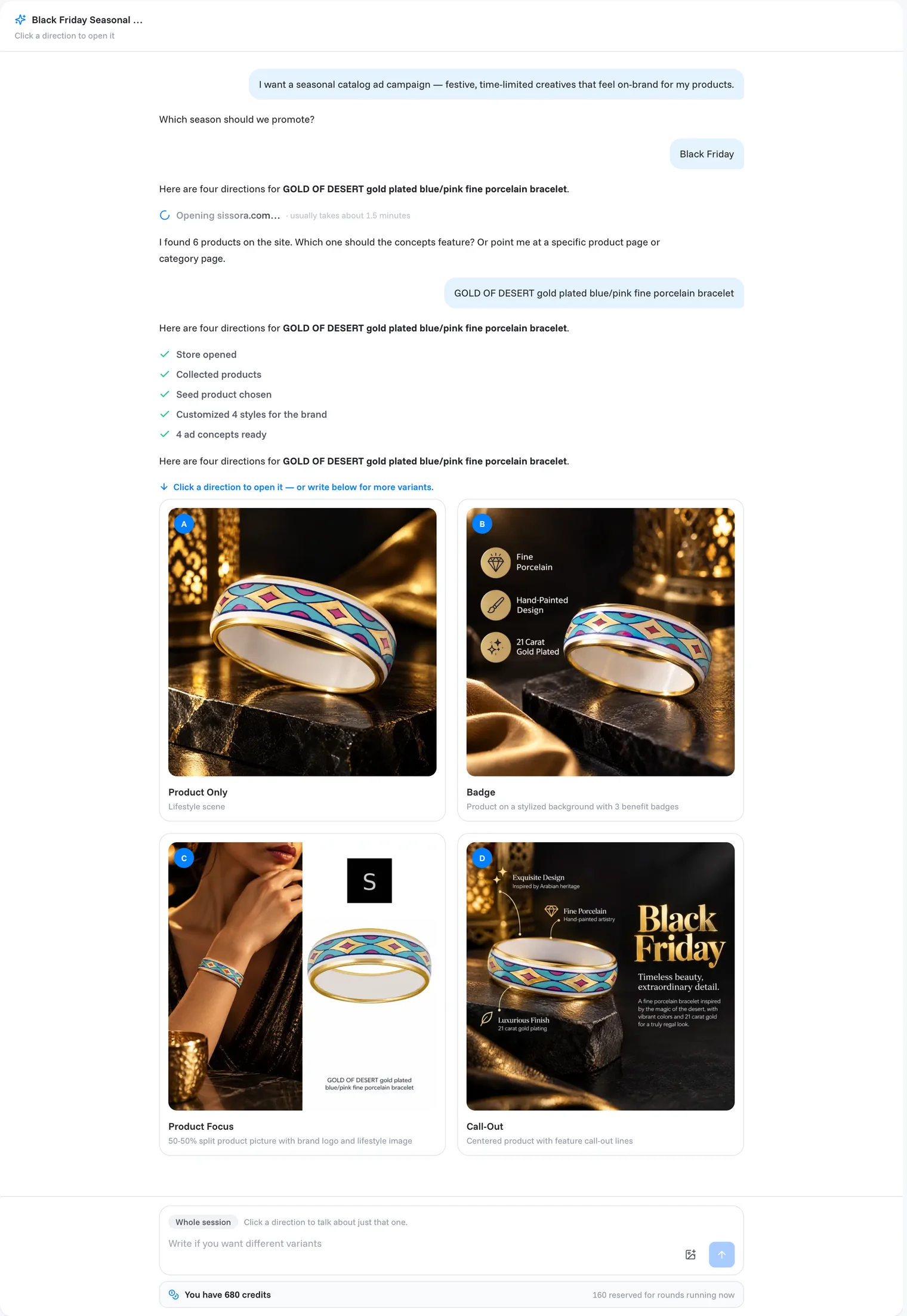
When the round finishes you get four directions, each in a different style. Which four depends on your product category (apparel, for example, gets People Wear). A typical set:
| Direction | What it looks like |
|---|---|
| Product Only | Your product in a lifestyle scene. |
| Badge | The product on a stylized background with three benefit badges. |
| Product Focus | A 50-50 split: product picture with your logo, next to a lifestyle image. |
| Call-Out | The product in the centre, with lines pointing at its features. |
Note
Each image costs credits. The four previews of this step use 4 × 40 credits. The bar under the message box shows your balance and the credits held for rounds that are still running. Images that fail cost nothing.
Want something else? Write it in the box at the bottom, for example "more lifestyle, less text", and the agent redraws the existing directions.
Prefer to start from an ad you like? The line above the directions ends with "or start from an ad you like", with two buttons under it:
- Upload an ad you like: pick a picture of an ad from your computer. A new session starts that copies it; see Copy an ad.
- Browse the library: pick a style from the Inspiration library. A new session starts from it, on your store's own products.
Both start a new session. Your directions here stay in Recents.
Done when
you see four finished directions for your product.
Still need help?
Our team answers every message.