
Add a new ad
The four ways to add an ad to a campaign, and which one to pick.
A campaign can hold several ads, each in its own style. Running different styles side by side gives Meta more creative variety to work with.
What to do
- Open the campaign and click + New ad under the ad set.
- The How do you want to add this ad? window opens. Pick one of the options below.
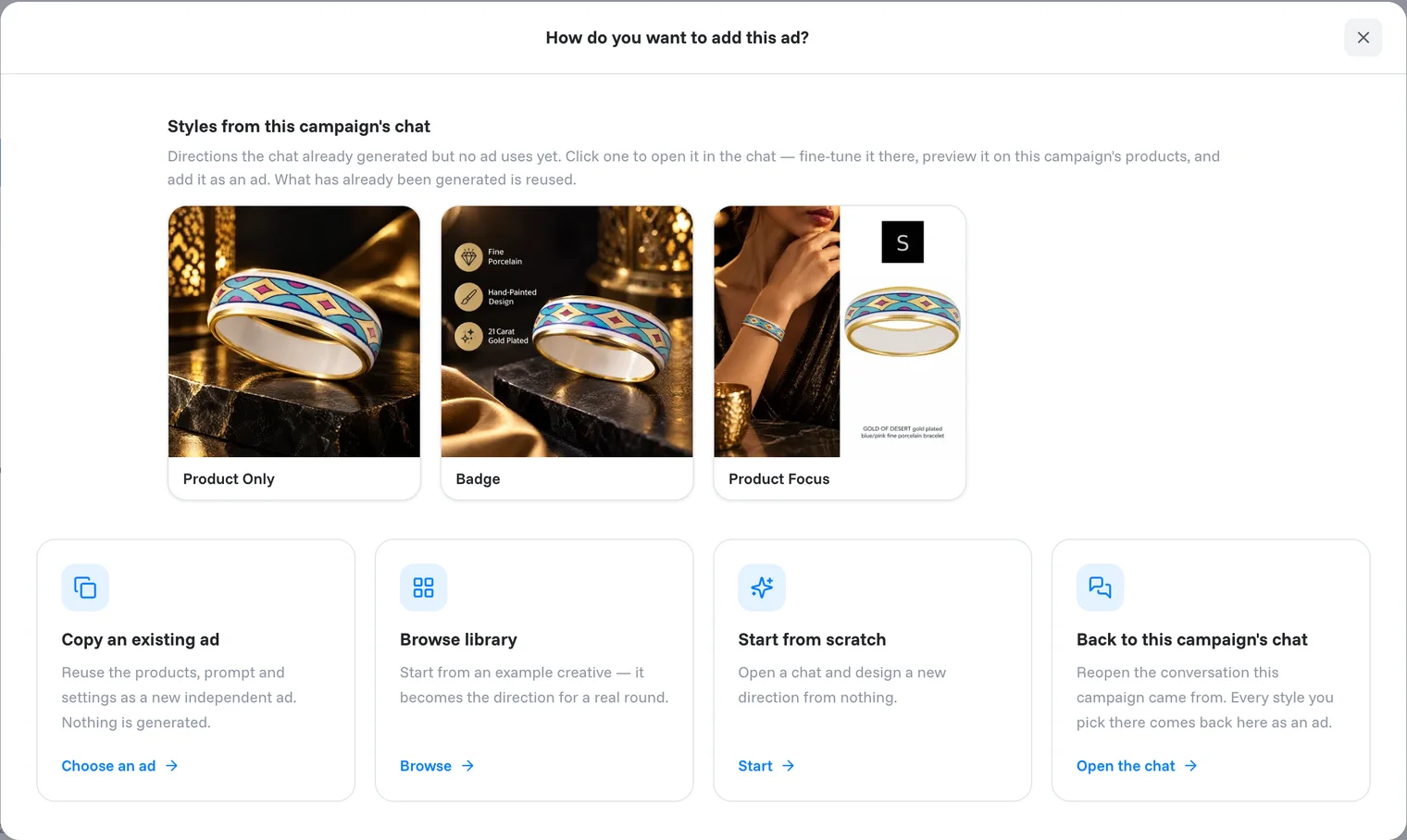
The options
Styles from this campaign's chat. Directions the agent already generated in this campaign's task but no ad uses yet. Click one to open it in the chat, fine-tune it there, preview it on the campaign's products and add it as an ad. What has already been generated is reused.
Copy an existing ad. Reuses the products, prompt and settings of an ad as a new, independent ad. As long as the products stay the same, nothing is generated and it costs no credits; a new product is generated and costs credits. Handy as a starting point for a variation.
Browse library. Start from an example creative in the Inspiration library. It becomes the direction for a real round.
Start from scratch. Opens a new chat where you design a new direction from nothing.
Back to this campaign's chat. Reopens the conversation the campaign came from. Every style you pick there comes back to the campaign as an ad.
Tip
Want a quick variation of an ad you already have? Copy an existing ad is free if you keep the same products. Then change it on the copy's Settings tab with Ask for a change and Regenerate all.
Related articles
Still need help?
Our team answers every message.