
Activate a campaign on Meta
Send a draft campaign to your Meta ad account, paused, with its budget, conversion goal and target countries.
Set up on Meta creates your OptiQube campaign in your Meta ad account. Everything starts paused, so nothing spends until you switch it on in Meta Ads Manager.
Before you start, you need:
- Meta Ads connected
- a paid plan
- every creative in the campaign approved
- a pixel to measure purchases on
Without these, the campaign won't be created.
What to do
- Open the campaign. The Get this campaign on Meta panel at the top shows four steps: Approve creatives, Connect Meta, Create it on Meta, paused and Switch it on. Without a paid plan there is a fifth: Choose a plan. On desktop, click Set up on Meta.
- Go through the four steps of the Set up on Meta window below. Back takes you to the previous one.
- Click Create paused campaign on the last step.
- In Meta Ads Manager, check the campaign and switch it on when you are ready.
1. Connect Meta
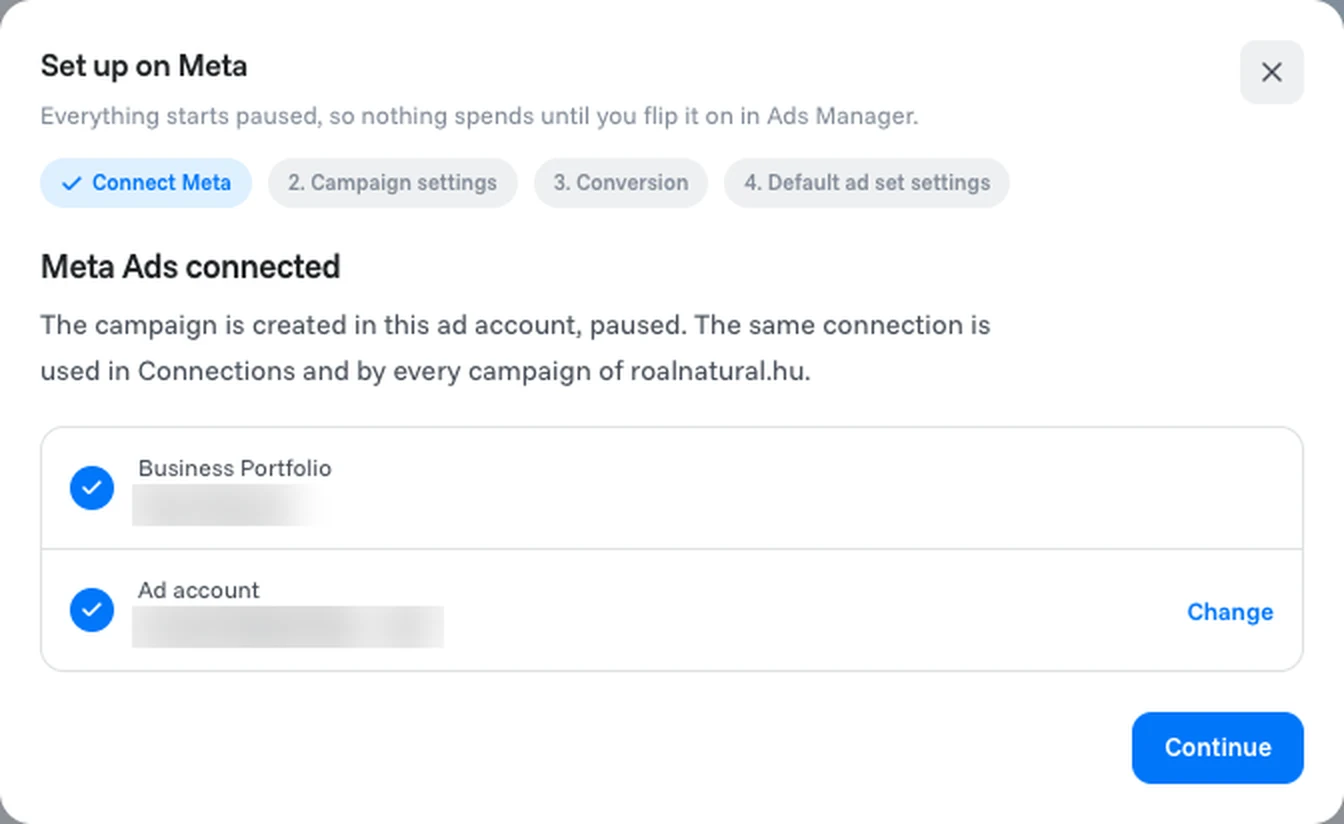
OptiQube shows the Business Portfolio and ad account the campaign is created in. The same connection is used on the Connections page and by every campaign of this store. Click Change to use a different ad account, or Continue.
2. Campaign settings
| Setting | What it means |
|---|---|
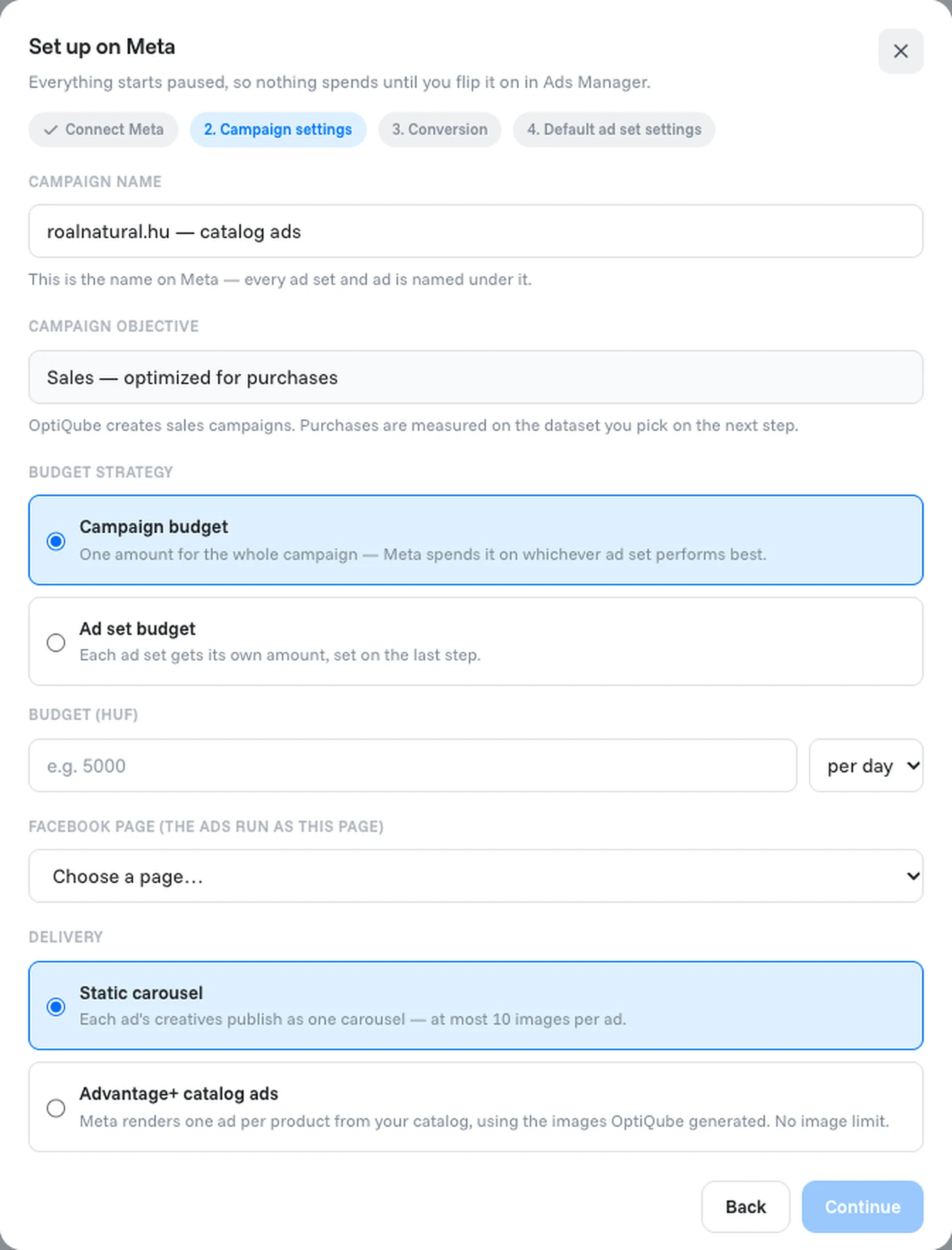
| Campaign name | The name on Meta. Every ad set and ad is named under it. |
| Campaign objective | Sales — optimized for purchases. OptiQube creates sales campaigns; purchases are measured on the dataset you pick in the next step. |
| Budget strategy | Campaign budget: one amount for the whole campaign, and Meta spends it on whichever ad set performs best. Ad set budget: each ad set gets its own amount, set on the last step. |
| Budget | The amount in your ad account's currency, for example per day. |
| Facebook Page | The Page the ads run as. |
| Delivery | Static carousel: each ad's creatives publish as one carousel, at most 10 images per ad. Advantage+ catalog ads: Meta renders one ad per product from your catalog, using the images OptiQube generated, with no image limit. |
3. Conversion
| Setting | What it means |
|---|---|
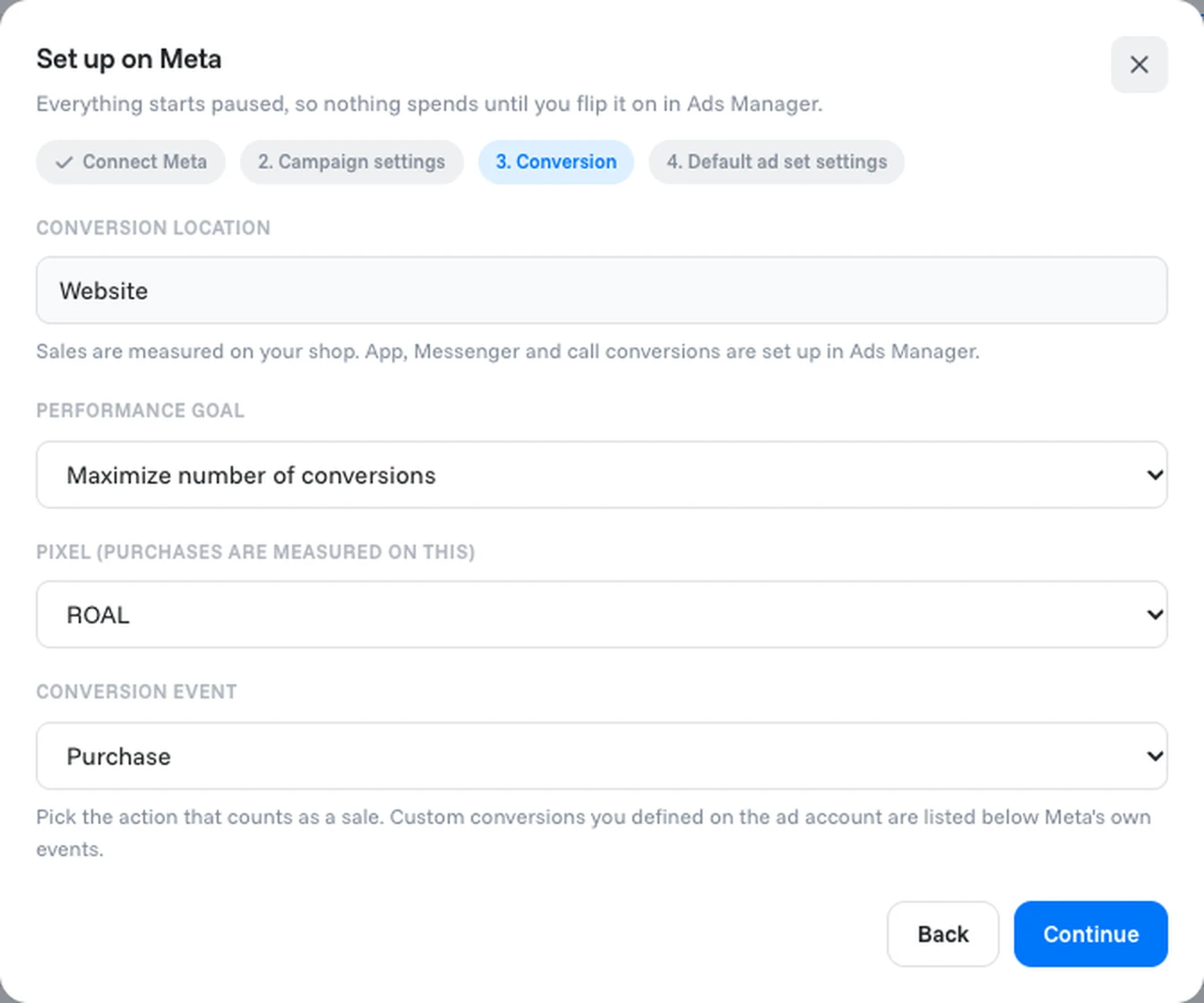
| Conversion location | Website: sales are measured on your shop. App, Messenger and call conversions are set up in Ads Manager. |
| Performance goal | For example Maximize number of conversions. |
| Pixel | The pixel purchases are measured on. |
| Conversion event | The action that counts as a sale, usually Purchase. Custom conversions you defined on the ad account are listed below Meta's own events. |
4. Default ad set settings
| Setting | What it means |
|---|---|
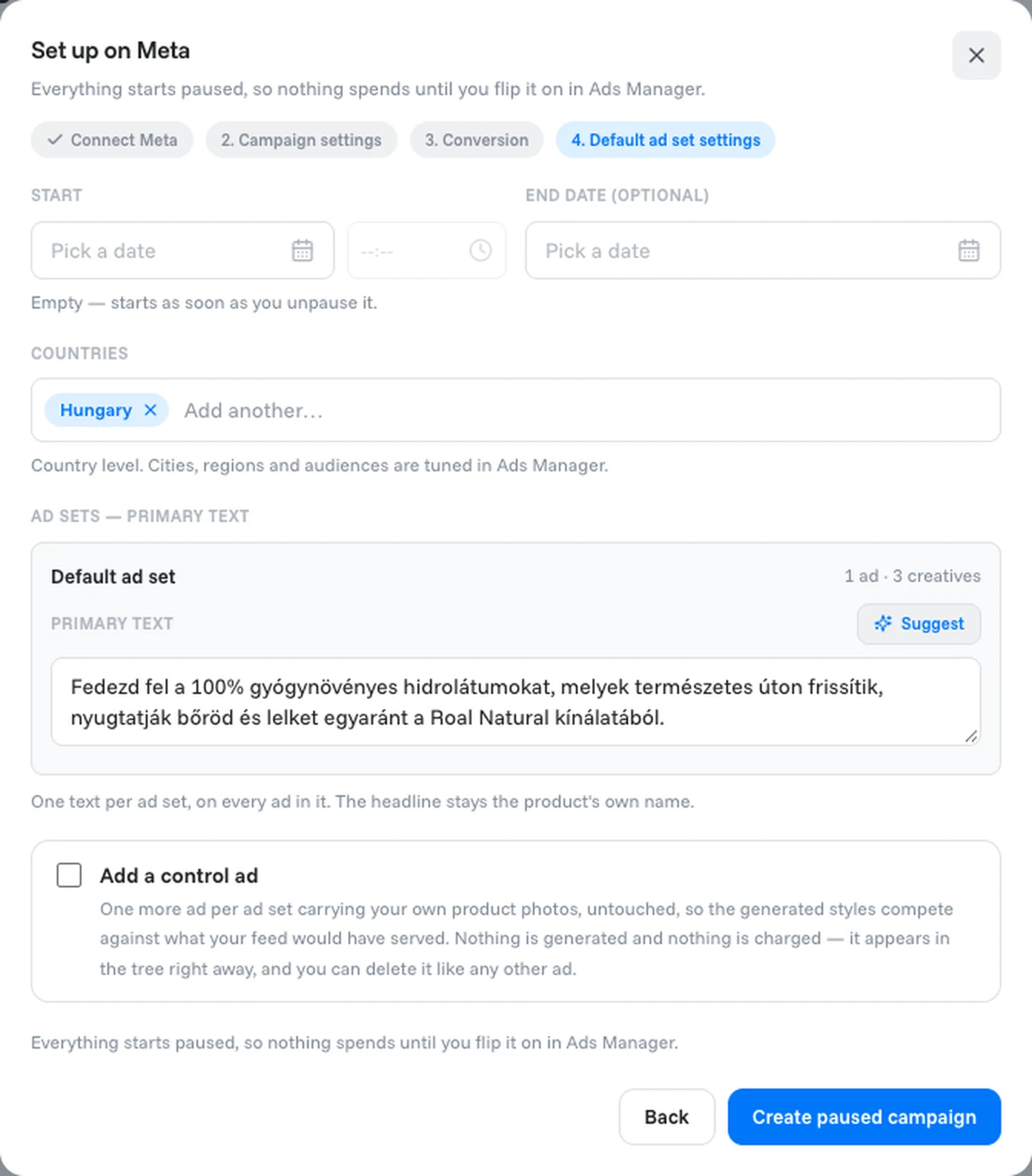
| Start and End date | Leave Start empty to start as soon as you unpause the campaign. The end date is optional, unless you set a total budget instead of a daily one. |
| Countries | Where the ads run, at country level. Cities, regions and audiences are tuned in Ads Manager. |
| Primary text | One text per ad set, used on every ad in it. Type your own or click Suggest. The headline stays each product's own name. |
| Add a control ad | Adds one more ad per ad set with your own product photos, untouched, so the generated styles compete against what your feed would have shown. Nothing is generated and it costs no credits, but on Meta it spends budget like any other ad. You can delete it like any other ad. |
Tip
Tick Add a control ad. It costs no credits and shows you, in Meta's own results, how much the OptiQube creatives add over your plain product photos.
Done when
the campaign appears, paused, in your Meta ad account.
After you create the campaign
The campaign page changes:
- The status reads Paused, the summary line says Activated today, and a note appears: On Meta, paused. Everything starts paused, so nothing spends until you flip it on in Ads Manager.
- Open in Ads Manager opens the campaign in Meta Ads Manager.
- In Get this campaign on Meta, the first three steps are ticked, and Switch it on reminds you that nothing spends until you switch the campaign on in Ads Manager.
- The Feeds tab is no longer shown.
- Each ad set shows its settings at a glance, for example Budget: 2000 HUF per day (campaign budget), Goal: purchase conversions and the start and end dates.
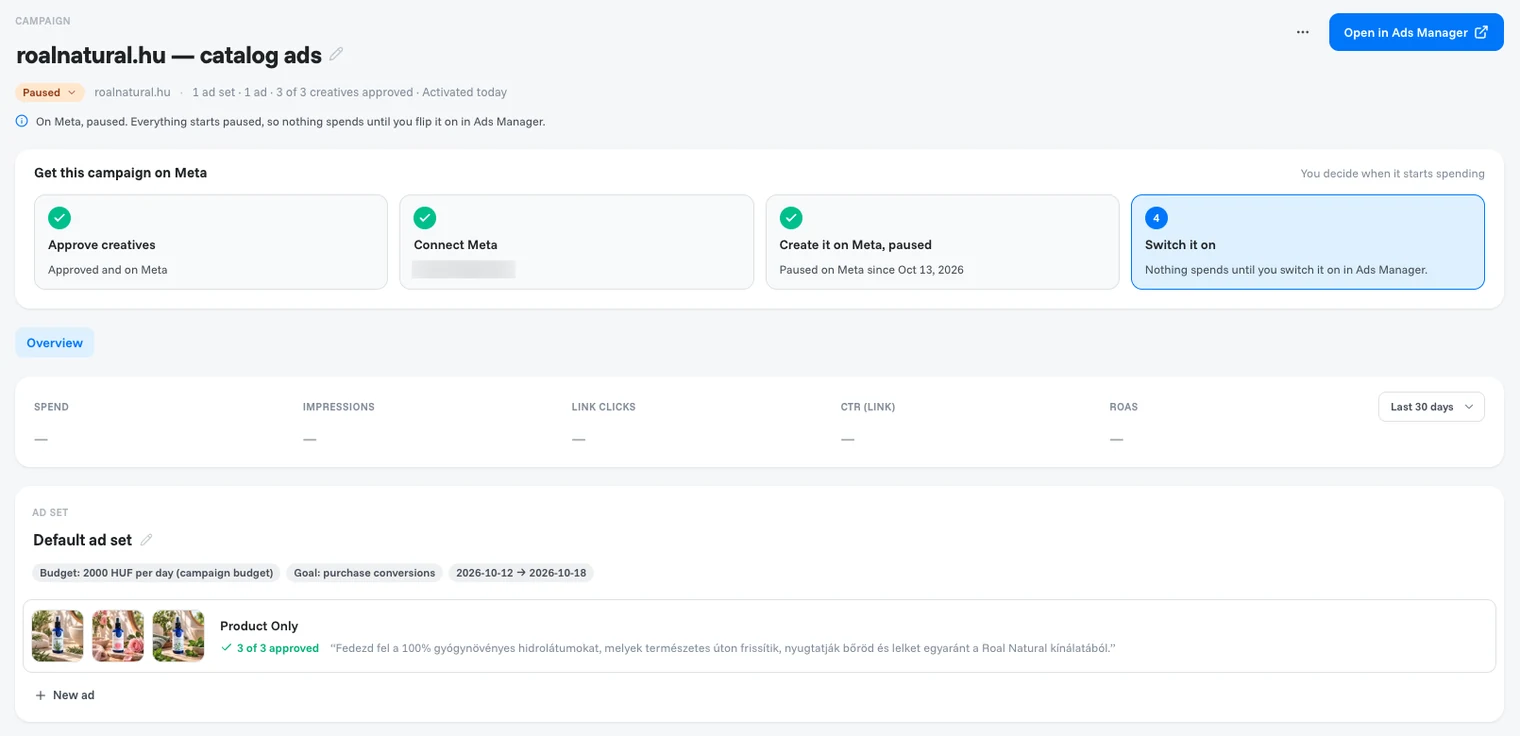
To switch the campaign on, change it, pause it or restart it, use Ads Manager. The campaign is switched on in Ads Manager, not in OptiQube.
Related articles
Still need help?
Our team answers every message.