
Campaigns, ad sets and ads
How campaigns are organised in OptiQube, what each status means, and how to rename, duplicate, archive or delete them.
A campaign in OptiQube follows the same structure as on Meta:
- Campaign: the container, for example Autumn campaign.
- Ad set: a group of ads with its own budget, schedule and conversion goal. Every new campaign starts with a Default ad set.
- Ad: one style, such as Call-Out, rendered on a set of products. Its creatives are what people see.
The campaign list
Click Campaigns in the sidebar. Each row shows the campaign's style, number of creatives, status, and Spend, Link clicks, CTR (link) and ROAS once it runs on Meta.
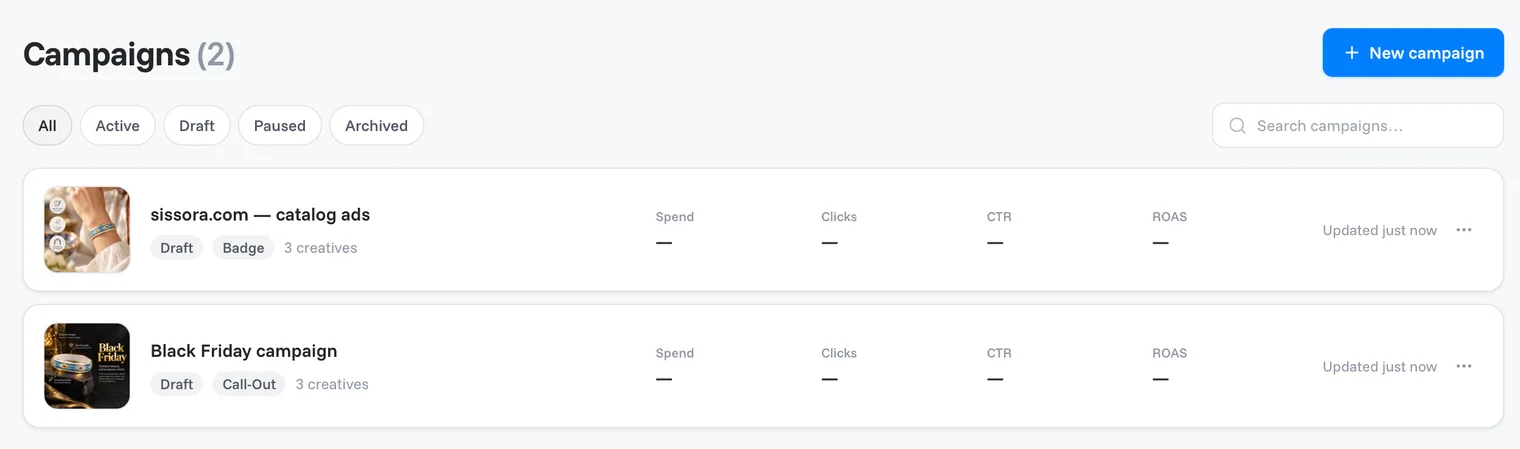
Use the filters at the top to show All, Active, Draft, Paused or Archived campaigns, or search by name.
| Status | What it means |
|---|---|
| Draft | Saved in OptiQube only. Nothing is on Meta and nothing is spent. |
| Active | Running on Meta. |
| Paused | On Meta, but not delivering. After you activate a campaign, its page shows Paused until you switch it on in Ads Manager. |
| Archived | Hidden from the main list. Find it under the Archived filter. |
The campaign page
Click a campaign to open it. It has these tabs:
- Overview: the results, and the ad sets with their ads.
- Feeds: the product feeds you paste into Meta Commerce Manager. It needs a paid plan, and it disappears once the campaign is activated. See Ad product feeds.
The results (Spend, Impressions, Link clicks, CTR (link), ROAS) fill in after the first delivery on Meta. Choose Last 7 days, Last 30 days or Lifetime on the right.
Rename, archive or delete
- Click the pencil icon next to the name of a campaign, ad set or ad to rename it.
- Click ⋯ at the top of the campaign page for Rename campaign, Archive campaign and Delete campaign. On the campaign list, each row's menu has Open in Ads Manager, Archive campaign and Delete campaign.
Tip
If you might need the campaign again, archive it instead of deleting it. Archived campaigns are listed under the Archived filter.
Ad set settings
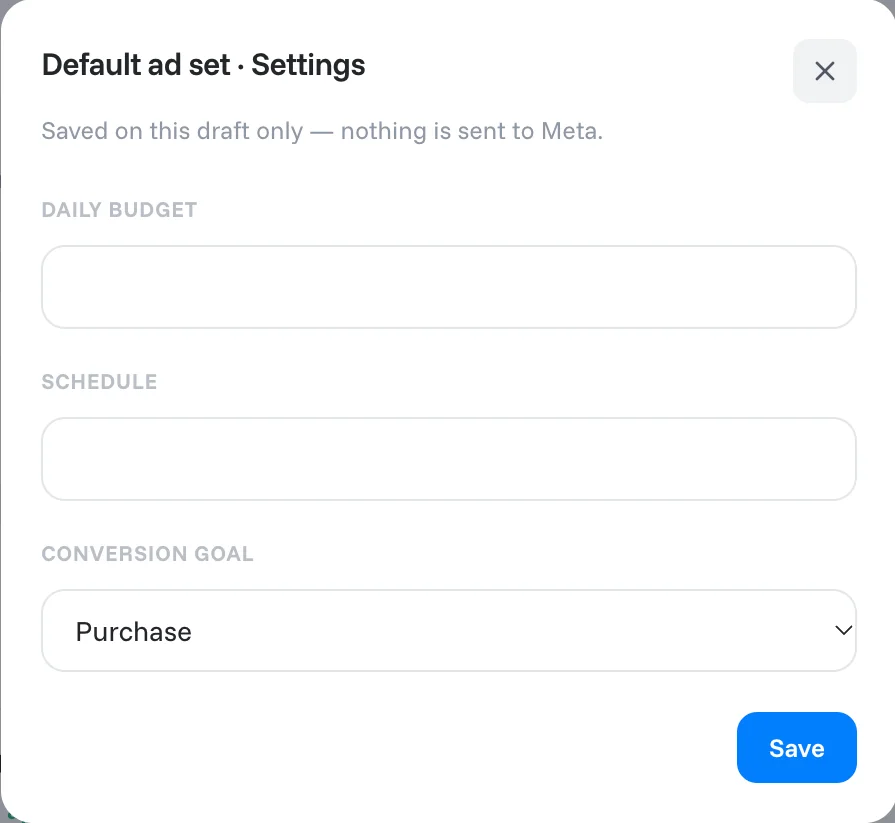
Click an ad set's header, or ⋯ → Settings, to set:
- Daily budget
- Schedule
- Conversion goal: Purchase, Add to cart or View content
Note
These settings are saved on the draft only. Nothing is sent to Meta until you activate the campaign.
Click + New ad set at the bottom of the campaign page to add another ad set.
Duplicate or delete an ad
Click ⋯ on an ad's row for Duplicate or Delete. To add a new ad, see Add a new ad.

Related articles
Still need help?
Our team answers every message.